Malus Code
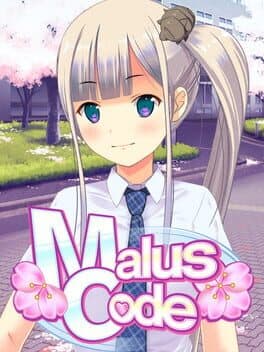
Malus Code is the story of a graduate student studying abroad at a Japanese university, and the three people he meets in the laboratory there. In this unfamiliar environment, can you earn their friendship? For those who don't want a lonely, sad life.
Released
5 May 2016
10 years ago
N/A
VGDB Score
Be the first to review
Overview
Summary
Malus Code is the story of a graduate student studying abroad at a Japanese university, and the three people he meets in the laboratory there. In this unfamiliar environment, can you earn their friendship? For those who don't want a lonely, sad life.
Description
About This Game
Fixed the bug in which the save data was in the same folder as Tokyo School Life's save data.
To restore your save data for Malus Code, please follow these steps: 1. Go to C:\Users\(PC name)\Documents\M2\ and backup the folder named “TSL”, and also the “MC” folder if it exists. 2. Make a duplicate copy of the previous save data folder: C:\Users\(PC name)\Documents\M2\TSL 3. Rename the copied folder to C:\Users\(PC name)\Documents\M2\MC (If the MC folder already exists, please delete the existing folder before renaming.) 4. Start up Malus Code and continue playing as usual. If you have previous save data from our other game, Tokyo School Life, the TSL save data may still be displayed in Malus Code. You can remove those saves by overwriting them, or just deleting them after following the above steps. The same applies to if Malus Code save data is displayed in Tokyo School Life. Thanks for you playing, and we’re very sorry for the inconvenience caused by this bug.
Patch Notes: Malus Code Ver 1.02
We enclosed a complete save file for Tokyo School Life in Malus Code Ver 1.02. This is a save file for Tokyo School Life that unlocks all of the content in the Extra menu, meant for those who lost their data due to the bug in Malus Code Ver 1.00. ・ Do not use this save data for Malus Code. ・ You will overwrite TSL's save data file (data_000_0000.bin), so please back it up in a safe location first. 1. Go to C:\Users\(PCname)\Documents\M2\TSL\savedata 2. Rename the existing data as follows: Rename data_000_0000.bin to data_000_1111.bin 3. Locate the following file in the directory you installed Malus Code in (default path shown below): C:\Program Files\Steam\SteamApps\common\Malus Code\windata\tsl_complete_savedata\fdata_000_0000.bin Copy fdata_000_0000.bin to the following folder: C:\Users\(PCname)\Documents\M2\TSL\savedata Then rename it to data_000_0000.bin 4. Done! Note: This will only effect the content in the Extra menu (music jukebox, gallery), so your save slot usage will remain the same as before.